
Specialized agents and personas
Create facilitator, supervisor, functional, summarizer, renderer, or standalone agents with personas, behavior rules, grounding, context awareness, and judge-agent review.
Fusioni Platform brings agents, visual journeys, models, prompts, MCP tools, crawlers, documents, memory, execution tracing, analytics, and access control into one production AI workspace.
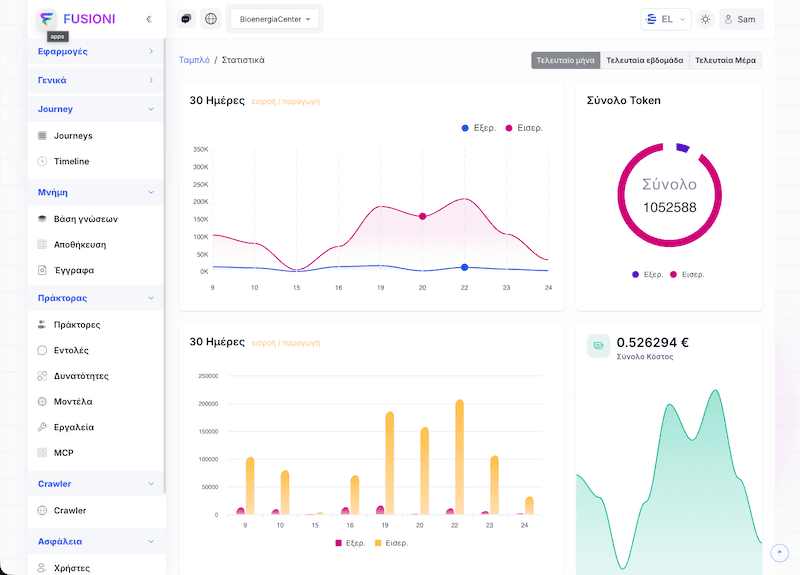
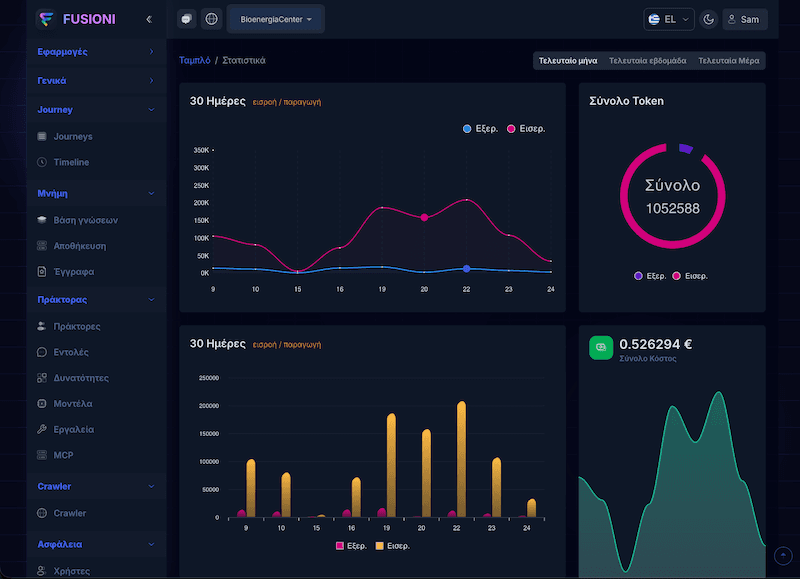
Configure specialized agents, personas, judge-agent review, and visual journeys with coordinated handoffs.
Turn websites, documents, images, video, knowledge stores, and memory into grounded context.
Manage models, prompts, authenticated tools, reusable capabilities, OpenAPI integrations, and MCP gateways.
Track execution traces, tokens, costs, crawler health, collaboration, and access from one production console.
How teams use it
Fusioni Platform keeps the work visible from design to execution. Teams define the knowledge, tools, and agent behavior in one place, then monitor how workflows run in production.
Bring in documents, knowledge bases, APIs, and internal systems so agents can work with trusted context.
Create multi-step workflows with branching, tool calls, human handoff, and clear execution paths.
Track executions, messages, tool calls, and outcomes so teams can improve workflows over time.
Use roles, tokens, and deployment options that fit enterprise pilots and production systems.
Request a live demo focused on your use case.
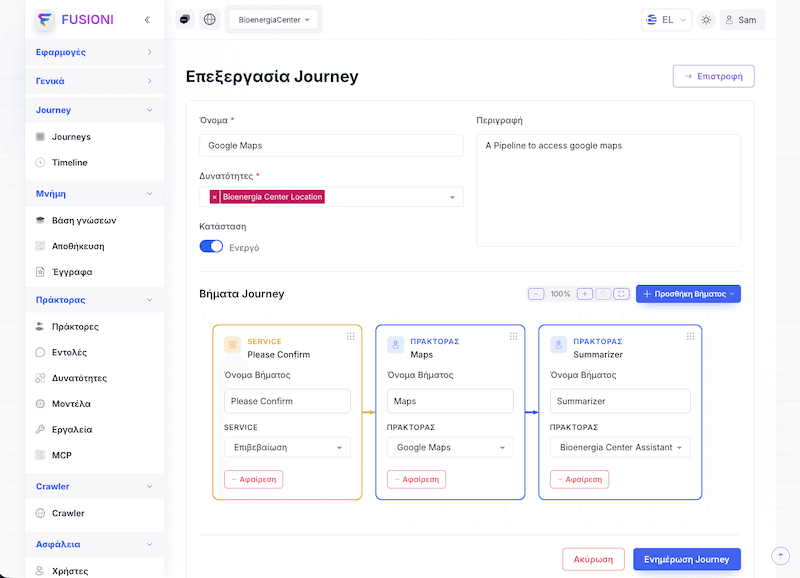
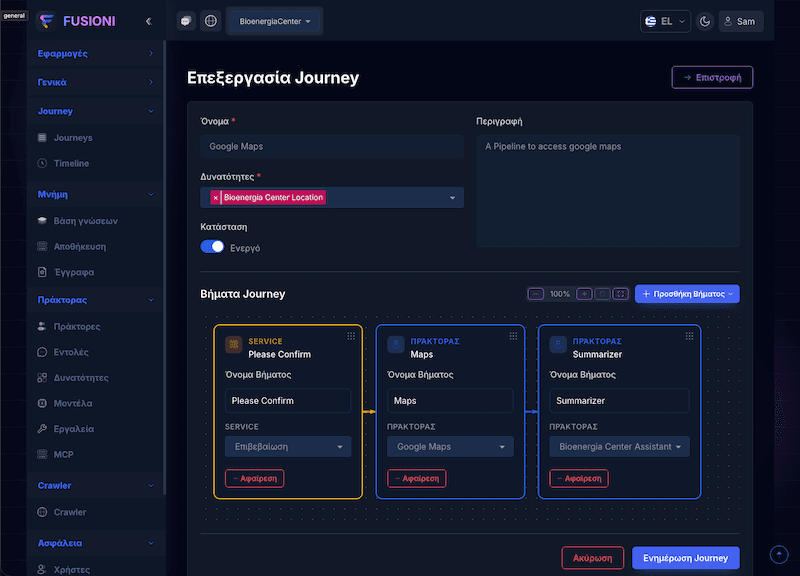
Build the intelligence, connect the systems and knowledge it needs, then operate every workflow with clear controls and visibility.
Platform layer 1
Define how agents reason, what models and prompts they use, and which approved capabilities they can access.
Create facilitator, supervisor, functional, summarizer, renderer, or standalone agents with personas, behavior rules, grounding, context awareness, and judge-agent review.
Register provider models with token limits, temperature, version, cost, and image support, then manage tagged prompt templates centrally.
Give agents custom or schema-driven tools with OAuth, API key, bearer, or username/password authentication, approval controls, and reusable results.
Package active tools, agents, journeys, and literal actions into reusable building blocks that teams can enable across workflows.
Add MCP servers from a catalog, configure environments and secrets, inspect gateway status, and select the exact server tools a workflow may use.
Platform layer 2
Turn agents and services into visible journeys, run them on demand or on a schedule, and inspect every execution.
Combine agent and service steps in a visual flow graph, attach capabilities, control active versions, and keep the execution path understandable.
Execute journeys synchronously or asynchronously and schedule recurring jobs with cron rules or delayed starts.
Inspect processes and individual executions with status, inputs, outputs, errors, duration, tool usage, metadata, and trace history.
Use server-sent events for real-time responses and workflow updates while long-running work continues in the background.
Platform layer 3
Create a managed content pipeline from websites, documents, media, knowledge bases, and durable memory.
Manage raw content, images, and video; generate keywords; chunk and embed content; and follow publication status before it becomes searchable.
Choose storage and retrieval settings such as search type, result limits, score thresholds, chunk limits, vector similarity, size, and retention.
Control domains, exclusions, depth, headers, user agent, robots rules, redirects, selectors, extraction rules, request delays, and crawl frequency.
Run separate memory stores with size and retention policies, then tune history limits, context tokens, language, timezone, and summarizer agents.
Platform layer 4
Collaborate in conversations, monitor usage and cost, configure website clients, and govern each workspace.
Bring users and agents into shared conversations, select active persona agents, search and organize threads, and tune fixed or adaptive response timing.
Monitor input and output tokens, total cost, execution health, crawled pages, errors, status distribution, and time-series performance.
Configure each website client with theme, color, placement, language, launcher style, conversation list, voice, file upload, and role permissions.
Manage tenants and agencies, users, roles, API tokens, onboarding, passwords, workspace defaults, and security boundaries.
Import and export agents, journeys, documents, models, prompts, tools, MCP connections, storage definitions, roles, settings, and other platform resources.
All of these capabilities are part of the same Fusioni control plane, so teams can move from a focused pilot to a governed production workflow without rebuilding the stack.
Define OpenAPI specs so agents can call external APIs inside workflows that connect to the services you already use.
Define your API endpoints with standard OpenAPI 3.0 specs.
Let agents call external APIs based on the workflow context.
Combine multiple API calls with validation, branching, and decision logic.
openapi: 3.0.0
info:
  title: Weather API
  version: 1.0.0
paths:
  /weather/{city}:
    get:
      summary: Get weather for city
      parameters:
        - name: city
          in: path
          required: true
          schema:
            type: string
      responses:
        '200':
          description: Weather data
          content:
            application/json:
              schema:
                type: object
                properties:
                  temperature:
                    type: number
                  condition:
type: string"Get the weather for Athens, Greece and suggest appropriate clothing"
Add a floating chat widget, connect it to your Fusioni workspace, and let users talk to your AI assistant or to your product content through Site Assist.
A lightweight React SDK that adds Fusioni chat to your website with one import.
Drop-in chat UI with conversations, voice messages, file uploads, and real-time streaming—customizable theme and position.
Power Fusion Site Assist: we crawl your site, build RAG from your content, and the SDK lets visitors chat with your products.
import { ChatWidget } from '@fusioni/client-sdk';

function App() {
  const config = {
    apiBaseUrl: 'https://api.fusion-ai.com',
    agencyId: 'your-agency-id',
    theme: 'light',
    position: 'bottom-right',
    primaryColor: '#6366f1',
  };

  return (
    <div>
      <h1>My Website</h1>
      <ChatWidget config={config} />
    </div>
  );
}Use the same SDK with Fusion Site Assist: we crawl your site, build RAG, and your visitors chat with your products—no extra code.
Add the widget, connect your workspace, and enable Site Assist when you want visitors to ask questions about your products.